







If you’re like most individuals, you assumably use your smartphone for many things – checking email, skimming the internet, watching videos, and listening to music, just to name a few. But what do you do when you want to use your phone in your car?
Do you hold it up to your face and try to see the screen over the steering wheel? Or do you try to balance it on your lap while you drive? If so, you’re doing it wrong! There’s an easier way to use your phone in the car – Android Auto or Apple CarPlay. But which one should you use? Let’s take a peek at the attributes of both with York Dodge.
User Interface
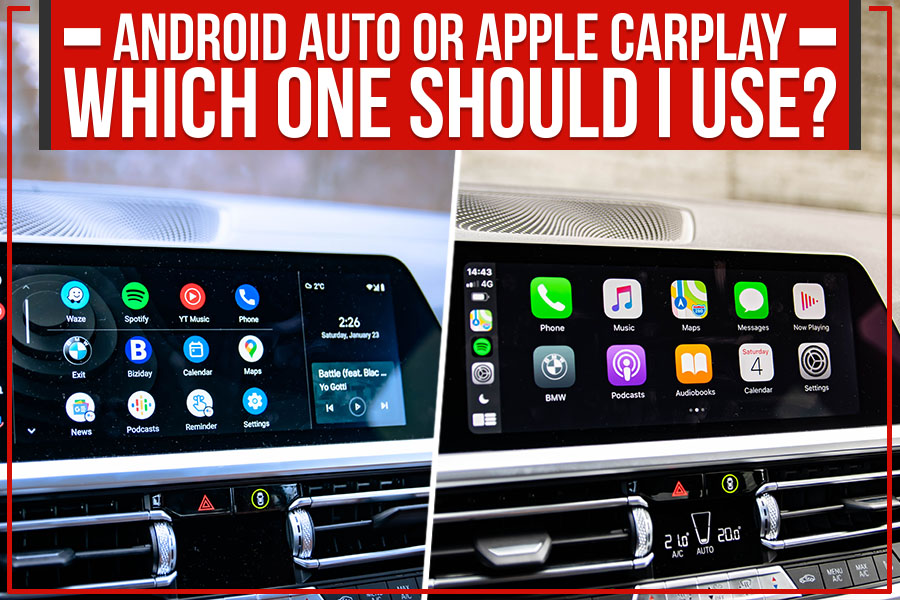
The first thing you’ll notice about Android Auto and Apple CarPlay is the difference in the user interface. Android Auto uses Google Maps for its navigation, while Apple CarPlay uses Apple Maps. Google Maps is a more comprehensive mapping solution, with real-time traffic updates, street view, and public transit directions.
On the other hand, Apple Maps is a simpler mapping solution that doesn’t offer as many features like Google Maps. However, it does integrate with Siri, so you can use voice commands to get directions or find points of interest.
App Support
Another big difference between Android Auto and Apple CarPlay is the app support. Android Auto has a lot more apps available compared to Apple CarPlay.
Some of the popular apps available on Android Auto include Google Maps, Waze, Spotify, Pandora, WhatsApp, Skype, Facebook Messenger, Telegram, and Twitter.
On the other hand, Apple CarPlay only has a handful of apps available, including Apple Maps, Spotify, Pandora, WhatsApp, Skype, and iMessage.
Music Features
When it comes to music, both Android Auto and Apple CarPlay have a lot of features in common. Both platforms allow you to control the music playback with voice commands and see song information and artist bios. They also both support audio streaming services like Spotify and Pandora.
However, there are a few dissimilarities when it comes to music. Android Auto supports Google Play Music, while Apple CarPlay supports Apple Music. Android Auto allows you to connect your phone to the car’s Bluetooth audio system. So, you can play music from your phone’s library, while Apple CarPlay does not.
Price
Finally, Android Auto is the cheaper option when it comes to price. Many Android phones come with Android Auto pre-installed, while you have to pay an annual subscription fee for Apple CarPlay.
The Verdict
So, which one should you use? Android Auto or Apple CarPlay? The answer is… it depends. If your car already has a built-in touchscreen display, then Android Auto is probably the better option for you. But if you don’t have a built-in display or want to keep your existing stereo system, then Apple CarPlay might be a better choice.
Whatever option you choose, York Dodge can help get it set up for you. We offer OEM accessories & parts upgrades in Prescott, AZ, so call us today and let us know how we can help make using your smartphone in the car easier – and safer – for you!
Connect with us

